Video Background Remover
- 3.3
- Rating
- 1.00M
- Installs
- Free
- Price

 Analysis by App-foxy
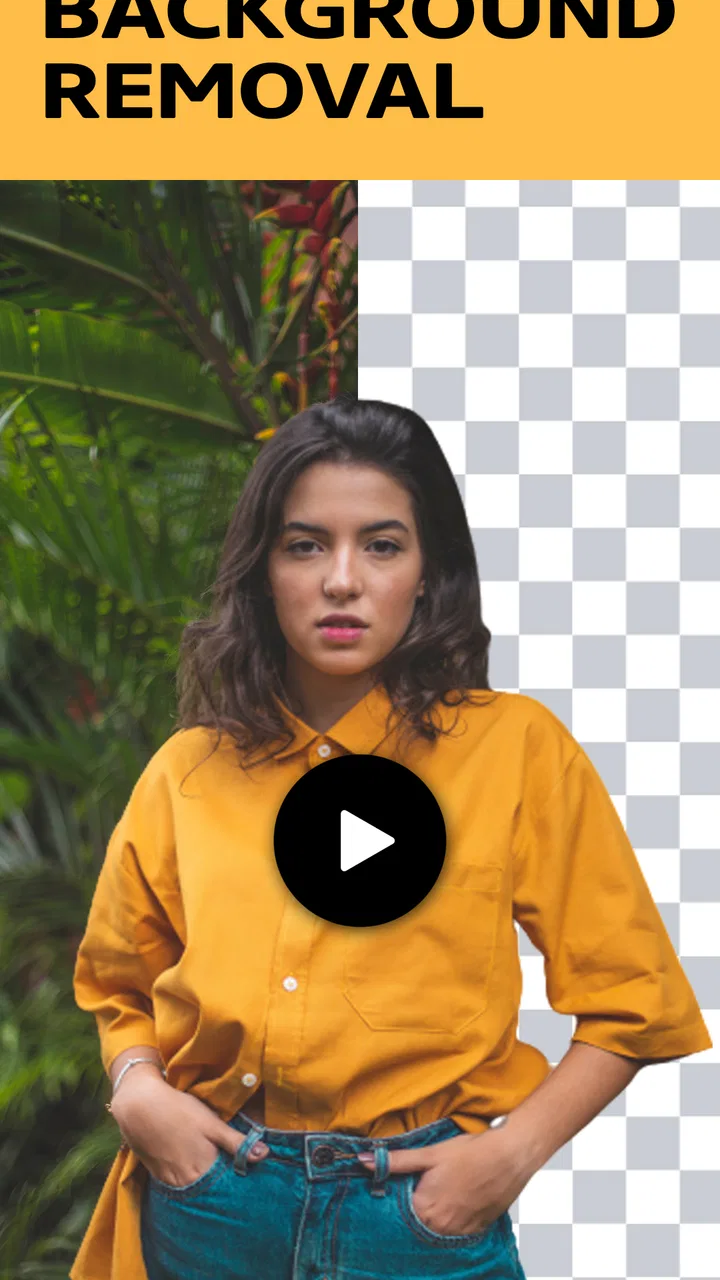
Removing a background from a video sounds simple until the subject moves, hair catches the light, or the scene behind it has similar colors. Video Background Remover is a free beauty app from MARC APPS that focuses on that single, useful job: separating a person or object from a clip so the original surroundings can be replaced or removed. I found its appeal in the directness. It is not trying to be a full video editor; it is aimed at the moment when the background is the part of a clip I need to fix.
That narrow purpose makes it easier to understand than a large editing suite. I can approach it when I want a cleaner portrait video, a simple green-screen-style result, or a cutout that is easier to place into another visual project. The app is free and rated for Everyone, so it is accessible to casual users as well as people experimenting with short-form content. Its overall average is 3.0 from around 9,900 ratings, which suggests a mixed experience rather than a universally effortless one. That feels important: the idea is useful, but the final result depends heavily on the source video.
Removing the background is the real reason to install it
The strongest part of this app is its central capability, not a long list of extras. I would install it when the subject matters more than the location: a person demonstrating a product, a quick beauty clip recorded in a cluttered room, or a short presentation where I want the speaker to appear over a different visual setting. Instead of keeping the entire frame, the tool attempts to isolate the foreground and discard the surrounding scene.
You May Also Like

 Blood Strike: 2.5 Anniversary
Blood Strike’s Loadouts Turn Every Drop Into a Tactical Gamble
A close look at Blood Strike’s custom loadouts: how fast access to signature weapons reshapes its battle royale rhythm, rewards preparation, and narrows the gap between fights.

 Pandora - Music & Podcasts
Pandora’s Music Is Easy to Start, but Harder to Recover
Pandora’s strength is its low-effort path from a seed to a station. Its weak spot is how much confidence it asks you to place in connection, setup, and quiet recovery.

 8 Ball Pool
 Is Built on Rivalries, Rematches, and Routine
A close look at the rivalries, rematches, shared routines, and unanswered safety questions that turn a quick pool match into a persistent mobile community.

 Samsung Music
’s Quiet Strength Is Playing What You Already Own
Its reach comes less from spectacle than from dependable access to a personal library. That simplicity is both the app’s strongest retention engine and its ceiling.

 AccuWeather: Weather Radar
AccuWeather Review: A Quick, Clear Forecast for Everyday Decisions
For everyday plans, the best forecast is the one you can understand quickly. AccuWeather makes rain timing, radar, and local conditions easy to act on, with a few trade-offs.

 Hill Climb Racing
Why Hill Climb Racing Still Turns Crashes Into One More Run
A tiny car, a bumpy hill and one more upgrade: Hill Climb Racing keeps resurfacing because its simple chaos makes every near-miss feel personal.
More From Our News Desk
View All News


That can change the feel of an ordinary recording. A bedroom, busy kitchen, or untidy desk may distract from the person speaking. Removing the background lets me create a more focused image without reshooting in a studio. It is also useful when I want to turn a moving subject into a visual layer for another project. The result can be placed over a plain color, a still picture, or a different video in an editor that supports the kind of output produced.
I would not confuse this with a complete replacement for professional compositing software. The app’s value is speed and simplicity. A specialist editor gives me more control over masks, edge refinement, motion tracking, color correction, and compositing order. This app is more attractive when I want to test an idea quickly or make a modest clip look cleaner without learning a complicated timeline.
Why the source clip matters more than people expect
Background removal is not equally difficult in every recording. A person standing against a plain wall is a much easier subject than someone walking past shelves, plants, or patterned curtains. Strong contrast between the subject and the surroundings generally gives an automatic remover a clearer boundary to follow. Loose hair, transparent objects, fast hand movements, and shadows are harder because the difference between foreground and background becomes less obvious.
My practical advice is to record with the final cutout in mind. Leave some space around the subject, keep the camera reasonably steady, and avoid wearing colors that blend into the wall behind you. Good lighting helps too, but even lighting is more useful than simply making the scene brighter. A harsh light on one side of the face can create a difficult edge, while a soft, consistent setup gives the remover a more stable shape to interpret.
The best improvement often happens before importing the clip. If I spend a minute choosing a cleaner background and a shorter, calmer shot, I usually give the app a much better chance than I would by feeding it a long, complicated recording and hoping the automation will repair every frame.
How the workflow feels in everyday use
The appeal of a focused tool is that I do not need to build a project from scratch just to test background removal. I can start with a video, apply the removal process, and judge whether the subject remains convincing as the clip plays. That last part matters. A still frame can look acceptable while movement reveals flickering edges or small pieces of the old background appearing and disappearing.
I recommend checking the beginning, middle, and end rather than watching only the first moment. Subjects often move closer to the camera, turn sideways, raise their arms, or pass through uneven lighting. These changes can expose weaknesses that are invisible in a single preview frame. If the app produces a result that looks good only while the subject stays still, it may still be useful for a short talking clip, but I would not rely on it for energetic movement.
A careful workflow also includes deciding what the cutout is for before processing. If I only need a person isolated against a solid color, small edge imperfections may be acceptable. If I plan to place that person over a detailed landscape, the same imperfections become much more noticeable. Busy replacement backgrounds create more contrast around the outline, making halos and rough edges easier to see.
A realistic example: turning a casual beauty clip into a cleaner post
Imagine I record a short makeup demonstration at home. The lighting is fine, my face is clear, and the explanation is useful, but the shelves behind me make the frame look crowded. I can use the app to remove that setting and then work with the isolated subject in a separate editing workflow, placing it over a quiet color or a more suitable image. The main benefit is not cinematic realism; it is reducing visual distraction while keeping the original performance.
For this scenario, I would keep the clip short and avoid waving products rapidly across my face. A hand holding a brush can be difficult if it overlaps the hair or blends into the clothing. I would also review the edges around the fingers and hair before sharing the result. If the cutout is clean enough at the size used on a phone screen, it may be perfectly serviceable even if it would not survive close inspection on a large display.
This is where the app makes sense to me. It can help rescue a useful recording that has an unhelpful room behind it. It is less convincing as a magic solution for every kind of footage. The more movement, detail, and transparency a clip contains, the more I would consider recording against a deliberately simple background or using a more advanced editor.
What the green-screen idea gets right—and where it falls short
The green-screen concept is familiar because it simplifies separation: a distinct background color gives editing software a clear target. A background-removal app tries to offer a similar result without requiring the user to own a green backdrop. That is convenient for spontaneous recordings, especially when I am working in a small room or making a quick social clip.
The trade-off is predictability. A real green screen, when lit evenly, can provide a more controlled boundary. Automatic removal has to interpret the entire image and decide which pixels belong to the subject. It may perform well on a straightforward portrait but struggle when the subject and background share colors. A green shirt against a green screen is also a problem for chroma-key editing, while a person in dark clothing against a dark room can challenge automatic separation in a different way.
There is another practical trade-off: convenience can encourage unrealistic expectations. Removing the background does not automatically make the subject match a new location. If I place a brightly lit person over a dim photograph, the cutout may look pasted on even when the outline is clean. I still need to think about scale, light direction, color, and perspective in the surrounding project. The app solves separation; it does not replace visual judgment.
Short clips are usually the safer choice
I would use this tool for a focused segment rather than processing an entire long recording without checking it. Short sections are easier to review, easier to replace if the result is weak, and less frustrating when a particular movement causes a bad edge. If I have a long video, I would first identify the moments that genuinely benefit from background removal and work on those instead of applying the effect everywhere.
This also makes the app more practical for people with limited editing experience. A beginner can learn by comparing simple clips: one with a stationary subject, one with moderate movement, and one with a busy background. That experiment reveals the app’s useful range faster than relying on a polished demonstration. It also helps answer an important question before spending time on a larger project: is the automatic cutout good enough for my particular camera angle and lighting?
Where it fits beside ordinary alternatives
The usual alternative is a general video editor with a background-removal, masking, or chroma-key function. That route can be better when I need several adjustments in the same project, such as trimming, adding text, balancing color, and placing multiple layers. The disadvantage is a steeper workflow. I may spend more time finding the right tool and correcting the mask than I would with a dedicated remover.
A physical green screen is another option. It can produce consistent results when the setup is controlled, but it requires space, suitable lighting, and a background that does not wrinkle or cast unwanted shadows. Video Background Remover is more convenient for an unplanned recording because it does not depend on that preparation. The price of that convenience is that the result can be less consistent from one clip to another.
Some camera and social applications also offer background effects while recording. Those are useful when I want an immediate live preview, but I may prefer a separate remover when I have already filmed the clip or want to test different uses for the same footage. A dedicated app gives the task its own place in my workflow instead of tying it to one camera or publishing platform.
For a professional production, I would choose a more controllable solution. For a casual creator, student, small business owner, or someone making a quick beauty tutorial, the simpler route can be more valuable than a larger feature set. The right choice depends on whether I value immediate experimentation or precise, repeatable edges.
Small habits that make the result more usable
First, I would keep the subject separated from the background whenever possible. Even a little distance can reduce strong shadows and make the outline easier to distinguish. Second, I would avoid recording directly in front of objects that overlap the subject’s silhouette. A chair back crossing behind the shoulders or a plant touching the hair creates a much harder boundary than an empty wall.
Third, I would plan the replacement background before judging the cutout. A plain replacement is forgiving, while a detailed image exposes every rough corner. If I am making a vertical social post, I would also frame the subject with enough space for the new composition rather than cropping tightly during recording.
Fourth, I would preserve the original video until I am satisfied with the processed version. Background removal is a destructive creative step in many workflows: once the subject has been separated, I may want to return to the untouched clip for a different treatment. Keeping both versions lets me compare the effect honestly instead of assuming the cutout is automatically better.
Finally, I would inspect hair, fingers, glasses, and fast-moving objects first. These areas reveal quality problems quickly. If they remain believable, the rest of the subject often feels convincing. If they break apart or retain pieces of the old scene, I would shorten the clip, improve the source recording, or move the task to a more advanced editor rather than repeatedly processing the same difficult footage.
Who gets the most from this app
I think this app is best for people who need a quick answer to a specific visual problem. A beauty creator with a distracting room, a teacher making a short explainer, a seller presenting a product, or a casual user preparing a playful clip can all benefit when the subject is clear and the video is not overly complex. The free price makes experimentation easy, and the Everyone rating keeps the app approachable for a broad audience.
It is also a reasonable choice for someone who has never used masking tools before. The concept is easy to understand: start with a video, remove the surrounding scene, and evaluate the isolated subject. That simplicity can be a useful first step before learning more advanced compositing. The developer, MARC APPS, keeps the app focused on the removal task rather than presenting it as an all-purpose production studio.
I would skip it if my work depends on exact edges, long uninterrupted takes, rapid sports movement, transparent fabrics, or complex interaction between foreground and background. I would also look elsewhere if I need detailed manual control over individual frames or a complete finishing workflow in the same application. In those cases, a full editor or a controlled green-screen setup is likely to save time despite requiring more effort at the beginning.
Device compatibility is fairly broad: the app requires Android 6.0 or later, and its current version is 4.0.0. That makes it accessible on many older Android devices, although the experience of processing video can still vary with the phone, the clip, and the complexity of the scene. I would make sure there is enough free storage for the original and processed files and avoid judging performance from a single unusually difficult recording.
My final take on the focused approach
Video Background Remover succeeds when I treat it as a practical cutout tool rather than a complete video studio. Its main capability can genuinely improve a casual recording, especially when the subject is well lit, clearly separated, and not moving too unpredictably. The biggest advantage is convenience: I can attempt a green-screen-style result without preparing a physical screen or learning a large editor first.
The mixed average rating is a useful reminder to approach it with realistic expectations. Automatic separation is not equally reliable on every clip, and no simple workflow can eliminate the need to inspect edges and movement. I would use it for short, purposeful videos, keep the original footage, and make the recording itself as easy to analyze as possible.
With more than a million installs, it has clearly attracted a substantial audience, but popularity does not change the basic trade-off. If I need a fast experiment or a cleaner background for a straightforward beauty or presentation clip, I would recommend giving it a try because it is free. If the project demands polished compositing and frame-by-frame control, I would move to a stronger alternative. For the right everyday scenario, though, its focused design is exactly what makes it useful.
FAQs for Video Background Remover
01How does the Video Background Remover app work?
The Video Background Remover app uses advanced AI technology to detect and remove backgrounds from videos. Users can upload their clips, and the app processes the video to isolate the foreground subject, allowing for easy background replacement or transparency. It makes content creation more flexible and professional.
02What are the key features of Video Background Remover?
Key features include automatic background detection, high-quality video processing, and the ability to replace backgrounds with images or solid colors. The app also supports exporting in various formats, ensuring compatibility with different platforms and devices, making it ideal for social media content creators and marketers.
03Is the app compatible with all video formats?
The Video Background Remover app supports a wide range of video formats, including MP4, MOV, and AVI. However, for the best results, it is recommended to use popular formats like MP4. Users should ensure their videos are in a compatible format to avoid conversion issues.
04Does Video Background Remover require an internet connection?
An internet connection is required for the initial download and some features, like cloud processing. However, once the app is installed, many of its features can be used offline. This allows users to work on their projects without constant connectivity, providing flexibility for on-the-go editing.
05Are there any subscription fees or in-app purchases?
The app offers a free version with basic features, while a premium subscription unlocks advanced functionalities such as higher resolution processing, additional background options, and faster rendering times. Users can choose a monthly or yearly plan, depending on their needs and budget.
Pros
- User-friendly interface for quick edits.
- Supports a wide range of video formats.
- Fast processing with minimal lag.
- No watermarks on exported videos.
- Includes basic video editing tools.
Cons
- Limited advanced editing features.
- Occasional glitches with large files.
- Requires in-app purchases for some features.
- Ads can be intrusive at times.
- Limited customer support options.

Video Background Remover
Gallery